

If you are still writing raw boilerplate code by hand in 2026, you are bringing a knife to a gunfight. The software engineering landscape has violently fractured over the last eighteen months. We have officially moved past the era of standard autocomplete plugins and entered the age of “agentic orchestration” and “vibe coding.”
Today, your Integrated Development Environment (IDE) is no longer just a text editor; it is a management dashboard for autonomous digital workers. But the market is currently flooded with platforms that claim to do it all. Should you stick with the surgical precision of Cursor? Do you pivot to Google’s wildly ambitious new Antigravity? Or do you surrender absolute control for the rapid-deployment magic of Replit or Lovable?
As a technical journalist who spends more time breaking these tools than praising them, I have spent the last few months migrating real-world web development projects across all four platforms. Here is the unfiltered, hype-free breakdown of the best AI IDEs on the market right now, and exactly which one you should trust with your codebase.
1. Cursor: The Professional’s Surgical Instrument
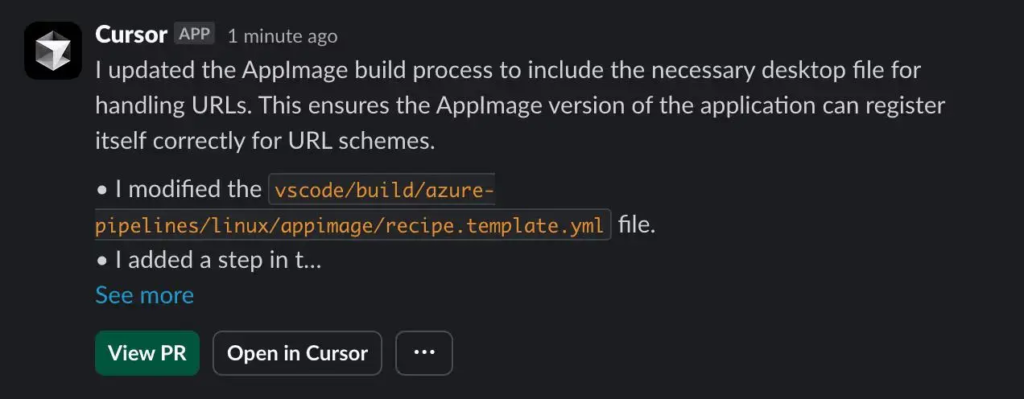
Let’s start with the incumbent heavyweight. Cursor was the first tool to truly prove that AI could be integrated into a developer’s workflow without feeling like a gimmicky toy. Built as a direct fork of Visual Studio Code (VS Code), its primary selling point is familiarity. Every keybinding, extension, and theme you use in VS Code works flawlessly in Cursor.
How It Actually Feels to Use
Cursor is not built for non-technical founders trying to spin up a weekend startup. It is built for veteran engineers. Its greatest strength is its hyper-aware codebase indexing. When you ask Cursor to refactor a complex authentication flow, it doesn’t just guess; it reads your entire repository, understands the dependency graph, and executes multi-file edits with terrifying accuracy.
The core interaction loops—specifically the Cmd+K inline edit and the persistent Chat sidebar—feel like you are pair-programming with a brilliant, hyperactive senior engineer who has memorized your entire repository. You maintain total architectural control. Cursor doesn’t make major architectural decisions for you; it executes your precise intent.
The Good and The Bad
- The Good: Unmatched deep-codebase understanding. Excellent multi-file diff views that let you review AI changes before committing them. Support for top-tier models like Claude 3.5 Sonnet and OpenAI’s latest variants.
- The Bad: It still relies on a linear, synchronous chat model. You ask it to do something, you wait for it to finish, and then you review. Furthermore, local indexing on massive enterprise repositories can occasionally chew through your machine’s RAM.
2. Google Antigravity: The Multi-Agent Mission Control
Released in late 2025 alongside the Gemini 3 rollout, Google Antigravity completely rethinking the IDE architecture. Like Cursor, it is a VS Code fork, but the similarities end there. Antigravity shifts the paradigm from “AI as a pair programmer” to “AI as an asynchronous engineering team.”
The “Agent-First” Architecture
When I first booted up Antigravity, the interface felt almost overwhelming. It is bifurcated into two main windows: the standard Editor, and the new Agent Manager. Instead of typing a prompt and watching code generate, you use the Agent Manager to spawn multiple autonomous agents and assign them discrete tasks.
For example, you can deploy Agent A to write unit tests for your backend, Agent B to update your documentation, and Agent C to actuate an integrated headless browser to test your frontend UI—all running simultaneously. This asynchronous execution absolutely crushes the linear limitations of Cursor.
Trust Through “Artifacts”
Google clearly realized that developers don’t trust autonomous AI. To solve this, Antigravity agents don’t just vomit code into your files. They generate “Artifacts”—tangible, verifiable deliverables like implementation plans, architecture diagrams, and browser recordings. Before the agent touches your code, you review its implementation plan. It forces a review surface that actually scales with complex projects.
The Good and The Bad
- The Good: Asynchronous task execution is a game-changer for productivity. The integrated Browser Agent can literally click around your staging site to verify UI changes. Native access to Gemini 3.1 Pro and Claude 4.5.
- The Bad: The learning curve is steep. Managing multiple agents requires a mental shift from “coding” to “project management.” It also feels heavier than a standard IDE, and the “Agent Decides” permission model requires strict supervision until you trust it.
3. Replit: The Zero-Friction Cloud Powerhouse
If Cursor and Antigravity are heavy artillery, Replit is the tactical airstrike. Replit completely abandons the local desktop environment. It is a cloud-native platform that spins up a full Linux container in your browser in under three seconds. You don’t manage Node versions, you don’t configure Webpack, and you don’t fight with local environment variables.
The Purest “Vibe Coding” Experience
With the introduction of the autonomous Replit Agent, the platform optimized heavily for momentum. You can literally type: “Build me a fintech dashboard that pulls live stock data, use a dark mode UI, and deploy it to a public URL.” The Agent will scaffold the frontend, wire up a database, write the API routes, and give you a live URL in minutes.
This is intoxicating for product managers, non-technical founders, and hackers validating ideas. However, the AI is making hundreds of invisible architectural decisions per second. If the AI hallucinates a weird database schema, you are stuck untangling it.
The Good and The Bad
- The Good: Unbeatable zero-to-one speed. Instant cloud hosting and deployment. Perfect for hackathons, learning, and spinning up rapid Minimum Viable Products (MVPs).
- The Bad: Once your app scales beyond a basic prototype, the cloud abstraction becomes a liability. Refactoring a massive Replit project is notably harder than doing it locally in Cursor.
4. Lovable: The UI/UX Rapid Prototyping King
Lovable isn’t a traditional IDE; it is a chat-to-app generation platform that specifically targets the frontend gap left by other tools. If you are building visually rich web applications, internal SaaS tools, or complex dashboards, Lovable is currently operating in a league of its own.
The Design-First Abstraction
Lovable forces you into a highly opinionated stack: usually React, Tailwind CSS, and Supabase for the backend. By restricting the technology choices, the AI is able to generate exceptionally polished, production-ready user interfaces. You can even import a Figma design directly into Lovable, and the AI will translate it into a functional, interactive web app in seconds.
What makes Lovable viable for serious work—and not just a toy—is its bi-directional GitHub sync. You can generate the baseline UI in Lovable, push the repository to GitHub, pull it down into Cursor to write complex custom backend logic, and push it back.
The Good and The Bad
- The Good: Flawless UI generation. Direct Figma-to-code integration. Seamless Supabase integration for instant database and authentication setup.
- The Bad: You are locked into their specific tech stack. It struggles with highly complex backend logic, often getting caught in infinite debugging loops when forced outside its frontend comfort zone.
Head-to-Head Comparison Table
To make the decision simpler, here is how the top four platforms stack up against each other across critical development metrics.
| Feature / Metric | Cursor | Google Antigravity | Replit | Lovable |
|---|---|---|---|---|
| Primary Use Case | Professional, large-scale codebase engineering | Multi-agent asynchronous orchestration | Instant full-stack MVPs and cloud hosting | High-fidelity UI prototyping & internal tools |
| Environment | Local Desktop App (VS Code Fork) | Local Desktop App (VS Code Fork) | Cloud-Based (Browser) | Cloud-Based (Browser) |
| Required Tech Skill | High (Requires coding knowledge) | High (Requires architectural oversight) | Low to Medium | Low (Chat-based interface) |
| Key Differentiator | Best multi-file edit and deep context indexing | Parallel execution via Agent Manager & Artifacts | Zero setup, instant live deployment URLs | Figma-to-code import, bi-directional GitHub sync |
| Best Supported Stack | Framework Agnostic | Framework Agnostic | Python, JS/TS Web Stacks | React, Tailwind, Supabase |
The Verdict: Which IDE Should You Actually Use?
Choosing the “best” tool in 2026 is entirely dependent on your current technical skill and your immediate business goal. Do not fall into the trap of thinking one tool rules them all. Here is the reality of how you should allocate your time:
- If you are a Senior Engineer maintaining a production legacy codebase: Use Cursor. You need strict control, local execution, and an AI that acts as a subordinate assistant rather than an autonomous cowboy. Cursor remains the most reliable tool for refactoring thousands of lines of code without breaking your production environment.
- If you are an Architect managing complex, multi-step workflows: Use Google Antigravity. If you are tired of waiting for your AI to finish generating a test suite before you can ask it a new question, Antigravity’s asynchronous agent manager will double your throughput. It is the tool of the future, even if the learning curve is steep today.
- If you are a Founder or Product Manager testing an idea: Use Replit. Momentum is your only metric. You need a working prototype with a live URL to show investors or customers by Monday morning. Replit will get you there faster than anything else on the market.
- If you are a Designer or Frontend Developer: Use Lovable. If your primary concern is pixel-perfect UI, animations, and instantly wiring up a mock database via Supabase, Lovable’s restrictive but high-quality React output cannot be beaten.
The most dangerous thing you can do right now is become religiously attached to a single platform. The best developers in 2026 are using Lovable to generate their UI components, syncing it to GitHub, and pulling it down into Cursor or Antigravity to wire up the complex business logic. The modern stack is modular.
Frequently Asked Questions (FAQs)
What is the difference between “vibe coding” and traditional AI assistance?
Traditional AI assistance (like early GitHub Copilot) relies on autocompleting lines of code as you type. “Vibe coding,” a term popularized by platforms like Replit and Lovable, refers to using natural language prompts to dictate an application’s behavior and layout, allowing the AI agent to autonomously write, deploy, and host the code entirely in the background without the user needing to understand syntax.
Can I migrate a Lovable project to Cursor later?
Yes, absolutely. This is one of Lovable’s strongest features. Because Lovable generates standard React and Tailwind code and features a bi-directional GitHub sync, you can easily push your Lovable project to a repository, clone it to your local machine, and open it in Cursor or Google Antigravity for heavy backend modification.
Is Google Antigravity just a clone of Cursor?
No. While both are built on the open-source Visual Studio Code foundation, their architectures are fundamentally different. Cursor focuses on deep codebase context and synchronous inline edits. Antigravity introduces an “Agent-First” paradigm, featuring an Agent Manager that allows you to deploy multiple asynchronous AI agents to work on different parts of your project simultaneously, heavily utilizing Google’s Gemini 3 models.
Are cloud IDEs like Replit safe for enterprise code?
While Replit offers enterprise-grade security and SOC 2 compliance for its business tiers, many highly regulated industries (like healthcare or finance) still mandate that source code reside on local machines or internal VPNs. In those strict enterprise environments, local IDEs like Cursor or Antigravity, configured with privacy-respecting API endpoints, are the required standard.
Comments